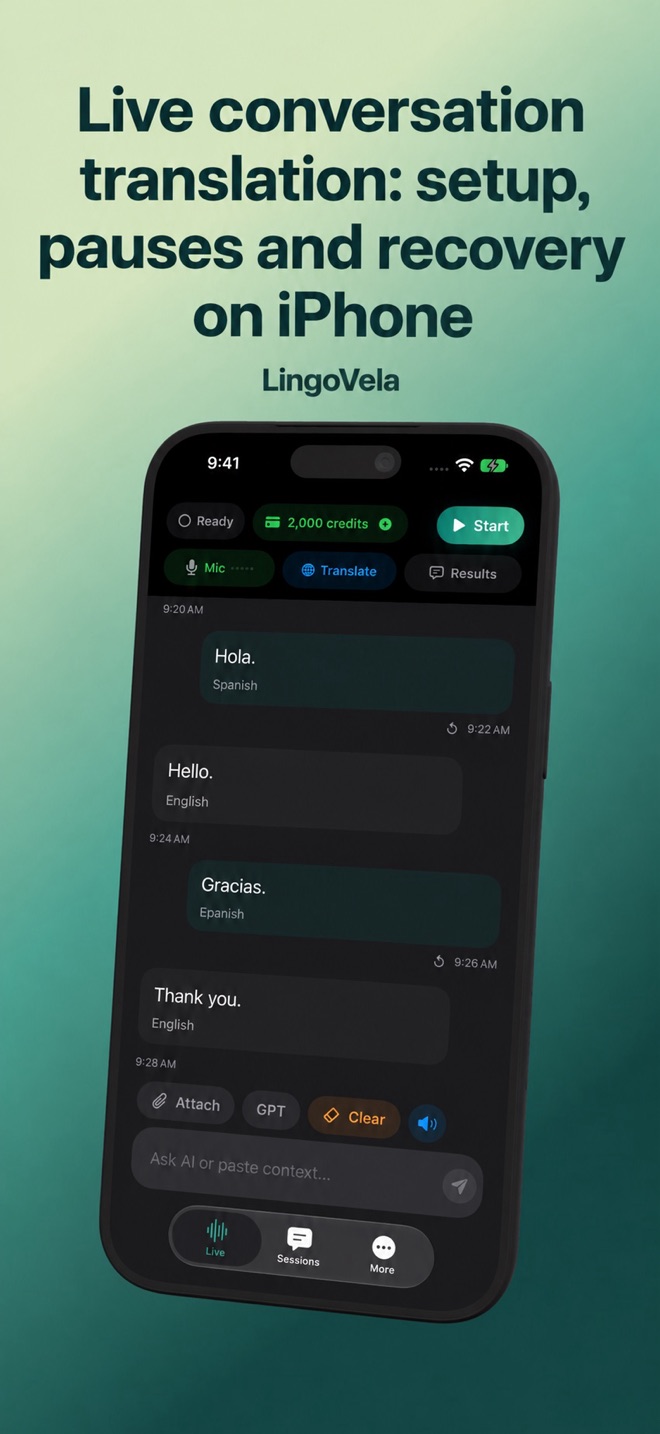
Live conversation translation: setup, pauses and recovery on iPhone
A conversation succeeds when both people receive the intended message. Check the captured words, the settled translation and the spoken reply separately.
Prepare the mode and both languages
In LingoVela, all translation modes require an active subscription and microphone permission for speech. OpenAI · Online and Private Cloud Compute need internet, AI credits and the required provider consent. PCC also needs a compatible Apple Intelligence device. On Device uses compatible prepared speech and translation assets without AI credits.
Choose the two spoken languages, not just the interface language. Ask the other person before processing their speech. Before relying on an offline pair, test recognition, translation and spoken output in each direction with airplane mode on and Wi-Fi off; keep Bluetooth connected if needed.
Check one complete exchange first
Put the phone where it can hear the person speaking and where both people can read the result. Start with a harmless question, then a reply in the other language. The test is incomplete if only the phone owner can hear the answer.
- Select the mode and the two spoken languages. Start the session and allow microphone access if iOS asks.
- Let one person finish a short thought. Check the original words where shown before judging the translation.
- Read or play the translated reply for its intended recipient; then let the other person respond.
- Confirm a time, name or price on screen. End the session when the exchange is finished.
Do not treat changing text as a settled answer
Some speech services expose intermediate results as well as final results. Microsoft documents this distinction for its Speech translation service. That is an example, not proof that every app uses the same pipeline or displays the same status labels.
If text changes as someone continues speaking, wait for the complete thought and inspect the resulting meaning. Test a negation and a correction with a natural pause. Notice whether the remainder is captured or requires another tap. A quick first fragment does not prove the complete message is correct.
Locate the delay before changing tools
Observe three moments: the source words appear, translated text appears, and spoken audio begins. If source words are missing, check capture and listening first. If readable translated text is present but silent, check playback and the current audio route.
Compare the same harmless exchange with the same device, mode, pair, connection and microphone. Distinguish a pause before the response from a growing queue of spoken replies. Do not keep talking over delayed audio or assume that one stopwatch result is a universal model benchmark.
When listening stops or the app seems silent
Pause the exchange and check the visible session state rather than repeating private information into a microphone that may not be active. These are checks, not a promise that every provider resumes the same way.
- Check microphone permission, the selected input and whether the session is paused or ended. Try a short harmless phrase after resuming or starting a new session.
- For an online mode, check connection, credits and any displayed error. An online session does not become offline when its connection is lost.
- For On Device, confirm the prepared pair and required speech resources. If only one direction fails, test recognition and playback for that direction separately.
- If the phone seems to hear its own reply, let playback finish, reduce speaker volume or try headphones, then retest capture. Headphones are not a universal echo-cancellation guarantee.
Groups, overlapping speech and language switches
A two-language microphone screen does not establish separate recognition for every person or support for a third language. Start with two people and a checked exchange before adding more participants.
- Agree who speaks next. If voices overlap, pause and ask each person to repeat the relevant point separately. Do not assign a generated phrase to a person merely because it appears in order.
- When someone changes language, confirm the selected pair and intended meaning. Test mixed-language speech separately rather than assuming automatic code-switching.
- If only one person can see or hear the result, change the arrangement or use an approved tool that actually provides the required participant access.
- For a sensitive or consequential discussion, arrange appropriate language assistance. More people and a louder speaker do not turn a consumer app into a professional service.
Match the input to the everyday task
An in-person microphone exchange, one-way listening, a platform meeting, a voice message and a phone call need different input and output paths. Test the path you need; do not assume that an active microphone captures another app’s internal audio.
For a noisy counter, try a quieter position or type the important detail and confirm it on screen. Menus and signs need a separate checked camera/text workflow. Use the linked app-selection, meeting and family guides for those tasks. Before sharing actual material, check the selected provider’s data terms and the workplace’s approved process where relevant.
Use the controls for the tool you selected
Apple documents automatic translation and a face-to-face view in its Translate app; Google documents separate listening, conversation and text-only modes plus pause/resume controls. Follow their linked instructions rather than applying their button names to LingoVela.
Before a longer exchange, test the expected duration and check that listening, text and replies still work near the end. Keep important names and numbers available separately. Do not assume an app saves or exports a transcript, joins a meeting or captures a telephone call unless that exact feature is documented and tested.
Why does my translator stop at a pause?
A pause can be treated as the end of an utterance, or the session may be paused or disconnected. Check the visible state and test a short complete sentence followed by a longer reply. Do not infer the cause or a fixed timeout from silence alone.
Why do the displayed words change while I speak?
They may be intermediate recognition or translation results. Wait for the full thought and check the final meaning, especially negatives, names and numbers. The provider documentation determines how that particular tool reports results.
Does a live translator also translate a phone call or meeting?
Not automatically. Microphone conversation, telephone bridging, meeting captions and transcript export are separate workflows. This guide does not claim that LingoVela captures other apps or telephone audio.
Can everyone speak at once or use a third language?
Do not assume that from a two-language app screen. Test the actual participant and language setup, take turns and confirm unclear or overlapping speech. Choose an appropriate group or professional service when the task requires it.