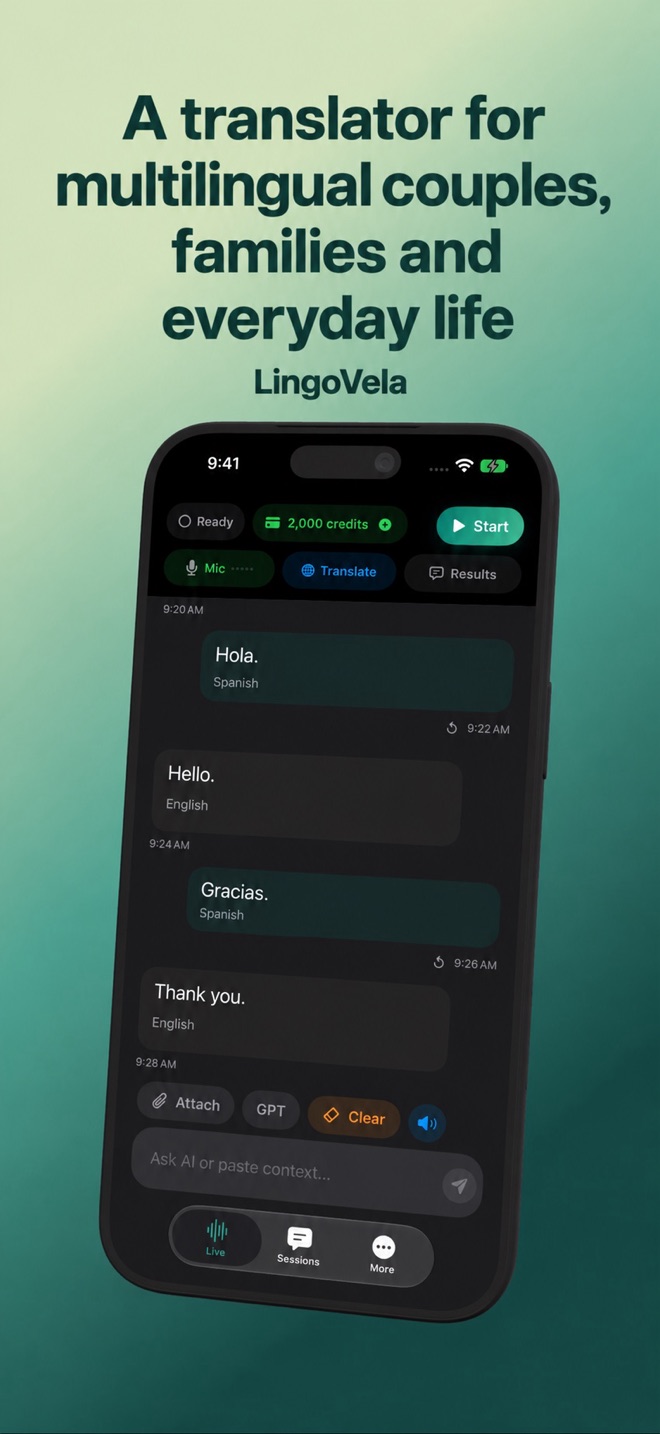
A translator for multilingual couples, families and everyday life
A useful conversation tool should give both people a chance to speak, read and correct the meaning.
Agree on the workflow
Explain the selected mode and whether speech is processed locally or by an online provider. Choose two languages together and put the screen where both people can read it. The interface language is not the spoken-language selection.
Prepare a first visit with relatives
Choose one ordinary topic and one shared reference, such as a photo, a place or a dish. Ask your partner how relatives prefer to be addressed; keep names in their supplied form rather than guessing a translated equivalent. This is a way to prepare the exchange, not a rule about any culture.
- Before the visit, test one question and reply with the intended languages, mode and microphone.
- Explain how the selected mode processes content and ask whether everyone is comfortable using it.
- Put the phone where both people can read or hear the result. Ask one concrete question and let the other person finish.
- If meaning is unclear, point to the shared reference, type the key detail or ask for a simpler version. Confirm before continuing.
Check the intended meaning
Use short, concrete sentences and ask whether the translated meaning is right. A joke, affectionate name or emotionally charged phrase can be distorted. If the words sound surprising, rephrase before reacting to a generated interpretation.
Agree when your partner helps
Decide together whether your partner will help with an introduction, a name or a clarification. Let the actual speaker confirm what they meant. You can then try a short direct exchange with the app instead of assuming one person must translate every turn.
Allow either person to pause or stop using the tool. For a sensitive discussion, agree on suitable language assistance rather than making an uncertain generated sentence the authority. A translation app does not assess intentions, diagnose conflict or provide relationship counselling.
With grandparents or children
Allow extra time to read and answer, and keep other conversations away from the microphone. Do not assume recognition works equally well for every accent or age. For important school, care or medical decisions, use the organisation’s appropriate language support.
Make a grandparent conversation easy to start
Choose one low-pressure topic, such as a family photo, and begin with one short question. Ask everyone to wait while the other person reads or hears the translation. Check that the older person can see the screen and hear the playback at a comfortable volume before making the conversation depend on the phone.
Let children and grandparents answer in their own words. If speech recognition struggles, use a shorter phrase or type the important detail. Do not label an unusual generated sentence as what a family member intended. If you want to record a family story, get everyone’s agreement and use a recording workflow you have actually checked; conversation translation is not a promise of a recording or messaging integration.
Prepare an ordinary visit while living abroad
Before a visit to a housing office, utility provider or local service, write down the purpose, relevant reference number and the question you need answered. Keep the original document visible; a spoken summary can omit a condition or deadline. An app that helps with an everyday exchange does not certify a document or replace the organisation’s interpreter.
- Ask the service which language assistance it offers before the appointment.
- Prepare one factual question at a time and separate it from the background story.
- Show dates and reference numbers in writing, without sharing more personal details than necessary.
- Ask where the confirmed next step and deadline can be found in the official paperwork.
- If a legal, medical or binding decision is involved, arrange the appropriate qualified language support.
Separate today’s translation from longer-term practice
A translator can help you complete one exchange today; that result does not demonstrate independent language ability. For a recurring task, such as asking about a delivery or arranging a meeting time, choose practice where you form the question and understand a reply rather than only replaying a generated sentence.
For structured English study, the British Council planning guide is a separate resource. A teacher, an agreed conversation exchange or a local activity can provide opportunities to practise; check the actual language, format and feedback offered. LingoVela is not presented as a course or an assessment of fluency. Keep a note of the task you attempted and what still needed clarification, without assigning yourself a promised month-by-month progress schedule.
Choose workplace help for the actual setting
An in-person question, a meeting on a platform and a document deadline need different support. A phone microphone translator is not automatically a meeting-caption integration or a document validator.
- Ask the organiser which language assistance, captions and participation options are available in that meeting.
- Use the workplace’s approved tools and handling process for its material rather than assuming a personal translation app is authorised.
- Keep the confirmed action, owner and deadline in the official written follow-up. A generated summary alone does not establish what was agreed.
Choose a separate workflow for a remote conversation
A phone on a table and a video call are different audio setups. Apple documents translated captions for supported one-to-one FaceTime calls using Apple Intelligence and downloaded languages. Check its current language, device and region requirements. This is an Apple feature, not an integration supplied by LingoVela.
For another calling or messaging app, check its own translation controls and test what the other person actually receives. Do not assume that starting a microphone session captures internal call audio, joins a group chat or sends a translated voice message. If copying a message into a translator, review the intended text and recipient before sending it.
Use LingoVela deliberately
LingoVela shows original and translated conversation text. All modes require an active subscription. OpenAI · Online and Private Cloud Compute use internet, credits and the required provider consent; On Device needs compatible prepared resources and uses no AI credits.
LingoVela has no sign-in: the anonymous account and credits are tied to the device, and conversation history is local. Do not assume a shared login synchronizes the couple’s histories or balances. Decide together whether to retain a conversation and use deletion controls when appropriate. Local translation does not remove the separate account, purchase and usage records described in the privacy policy.
Does a couple need two phones for an in-person conversation?
Not necessarily. A shared device can provide a readable or audible exchange if both people can access the result. Test it with your languages. Remote calls and messaging are separate workflows and may have different requirements.
Will a translation app preserve my tone or explain my partner’s intention?
Do not treat generated wording as proof of intention or emotional tone. Check the original words, ask for clarification and use a simpler or typed version when needed. No relationship outcome is promised.
Will our LingoVela conversation history and credits automatically sync?
No shared sign-in is provided. The anonymous account and credits are device-linked, and history is local. Do not assume that a second phone receives the first phone’s balance or saved conversations.
Can LingoVela replace language lessons after moving abroad?
It is a translation tool, not a course or a fluency assessment. Use it for a checked exchange, and choose appropriate practice or instruction for skills you want to perform independently. No fixed learning timeline is promised.