Choose an interpreter app for international business: start with the meeting
Choose the service around who needs to understand whom, on which device, and with what permission. An app that helps two colleagues in a room may not deliver interpreted audio to a remote customer. We publish LingoVela; this is a selection checklist, not an independent vendor ranking.
Write a brief before comparing products
Describe one real session instead of starting with a list of language counts. Note the setting, speaking and listening languages, participant roles, duration and material that must be shared. Say whether people need spoken replies, readable captions or a checked record afterwards. These are separate deliverables.
- In person: can both people see the translation and hear the reply without passing around private information?
- Phone call: will a remote participant receive the interpreted audio through the actual call, and can they reply?
- Online meeting: can invited guests select their language on their own devices?
- Event: who runs the language channels, supports listeners and handles a missing interpreter?
Separate AI translation, human interpretation and meeting features
A translation app processes supported input; a human interpreting service supplies a person; a meeting feature provides an audio or caption path. A workflow may need more than one. Ask who supplies the interpreter or translation engine, who operates it and who checks critical meaning. Do not assume a language-channel button includes a booked interpreter.
Microsoft documents an AI Interpreter feature in Teams with its own eligibility and supported-language requirements. Zoom documents host-managed interpretation channels for designated interpreters. Those are different workflows: verify the exact feature, account, client and guest requirements in the linked documentation rather than comparing the product names alone.
Map every participant’s input and output
Draw the path for each person: microphone, translation, destination audio or text, and their reply. Test from the customer’s device as well as the organiser’s. Hearing a translation on your phone does not demonstrate that the other end of a call can hear it.
Zoom’s interpretation guidance distinguishes listening through meeting audio from telephone dial-in. Microsoft’s Interpreter documentation distinguishes supported Teams calls from ordinary telephone-network calls. Check these boundaries before buying or sending invitations; an available feature in one setting does not establish support in every other setting.
- Invite one colleague as an external guest using the joining method planned for the real session.
- Ask each person to select the intended language and say what they can actually hear and read.
- Exchange a question and answer in both directions, including a name, a number and a correction.
- Confirm whether the required record will exist afterwards and who may access it.
Get approval for the actual data path
Record which service receives audio, recognised text, uploaded files and meeting records. Ask about retention, access, deletion and any contractual requirements your organisation has. Product marketing and a security badge are starting points for questions, not proof that a particular deployment is approved.
If the organisation has not approved a provider, do not capture the same business conversation with a personal phone to work around that decision. Use the organisation’s approved interpreting or translation process, or ask the responsible person to evaluate an alternative. A different capture device still sends the conversation somewhere.
Run a small, representative pilot
Use fictional or approved non-sensitive material and people who understand both languages well enough to flag meaning changes. Choose the actual room, headset, client and network you expect to use. Keep the same sample when comparing options; a polished vendor demo and your own noisy room are not comparable tests.
- Start from the invitation or launch screen and check who needs an account, licence or downloaded resource.
- Try a complete exchange with ordinary pauses, a longer answer and a technical term used in a sentence.
- Ask the speaker to correct a quantity or date and check that everyone understands which value replaced the earlier one.
- Pause and reconnect once. Check that the correct language and output path return without losing the unresolved question.
- End the session, inspect the promised record and confirm the deletion or retention process.
- Log missing or changed meaning separately from audio routing, recognition and access failures.
- Give each failure an owner and a retry condition; do not describe a suggested pilot as a test already performed.
Compare the same deliverable and recovery plan
Ask for a quote or plan description covering the session you specified: participants, languages, duration, interpreter staffing if needed, preparation, support and any transcript or recording. Check setup and cancellation conditions rather than assuming all services use the same billing unit.
Choose a fallback before the meeting: repeat the disputed sentence, use an approved written channel, pause the decision or bring in a suitably qualified interpreter. A fluent output is not enough evidence to finalise a disputed technical requirement or contract. Assign someone to confirm the final written record, including anything left unanswered.
Where LingoVela fits
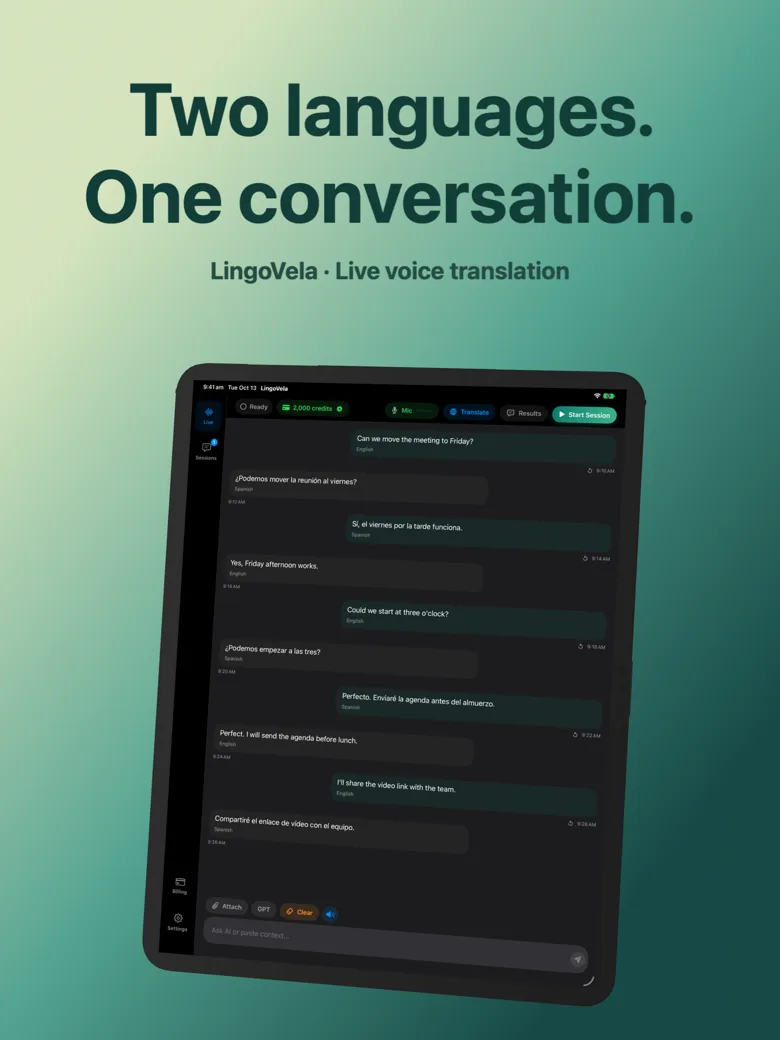
LingoVela is an iPhone and iPad translation app for supported input and in-person conversation workflows. It is not presented here as a telephone bridge, a meeting-platform integration, an event language-channel system or a supplier of professional interpreters. Choose a service designed for those tasks when you need them.
Translation in LingoVela requires an active subscription. On Device uses supported downloaded resources without AI credits; OpenAI online and Private Cloud Compute have separate consent and online-use requirements. Check the current support page and language/device availability before a pilot. This guide does not establish enterprise certification or approval for confidential company material.
Keep one decision sheet
Finish with a short record that another organiser could use: the approved scenario, provider and feature, language directions, participant joining instructions, responsible people, agreed cost basis and fallback. List remaining questions explicitly. Review it when a meeting format, language, client or provider changes.
- Approved use: what the setup has actually been evaluated for.
- Open issue: what remains unknown and who will answer it.
- Confirmed result: what participants checked in the pilot, with its date and conditions.
- Next review: when the setup should be checked again.
Can one translation app cover every international business meeting?
Do not assume so. In-person exchanges, telephone calls, platform meetings and events need different input, delivery and participant controls. Test the exact session and both ends of the conversation.
Is a translation app the same as a human interpreting service?
No. An app may translate supported input, while a service can supply an interpreter. A platform’s language channels may still require an organiser to arrange and manage that interpreter.
Does using a personal phone avoid the need for company approval?
No. The conversation still has a capture and processing path. Use an approved process and obtain the appropriate authorisation for the actual content and provider.
What should a business translation pilot prove?
That the intended participants can join, understand and reply in the required languages, recover from a disruption and receive the required record. Keep meaning, recognition, audio routing and access checks separate.