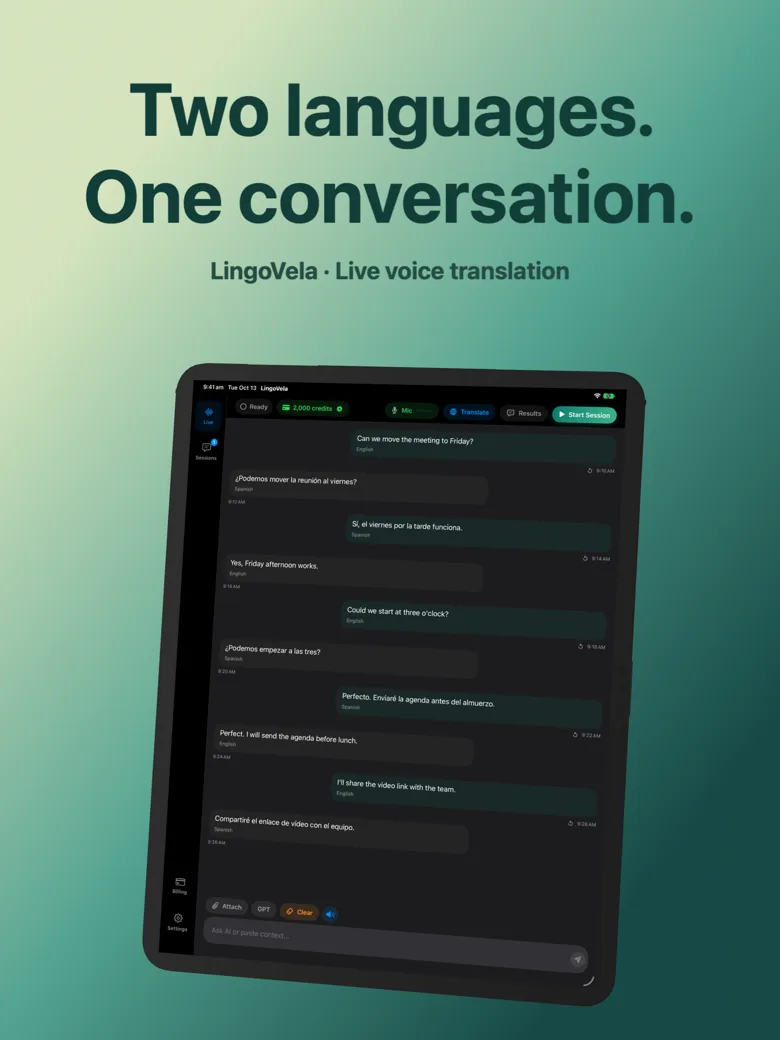
LingoVela vs Microsoft Translator on iOS: 1-on-1 conversations vs multi-device group rooms
Microsoft Translator stands out when multiple people in a classroom or briefing each want to scan a join code on their own phone and read captions in their own language. LingoVela is built for direct two-person conversations on a single iPhone or iPad where OpenAI Online quality, Apple Private Cloud Compute and true On-Device offline speech matter.
1. Single-phone table conversation vs multi-device group sessions
Microsoft Translator’s signature feature is multi-device conversation: a host starts a room, shares a 5-letter or QR code, and attendees follow translated text in different languages on their own screens. It also includes a classic split-screen two-person microphone view and phrasebooks.
LingoVela intentionally avoids room codes and remote participant servers. Two people talk through one iPhone or iPad, hear clear spoken responses, check both languages on screen and keep the saved conversation strictly on that device.
| Feature | LingoVela: Live Translate | Microsoft Translator (iOS) |
|---|---|---|
| 1-on-1 shared-device voice translation | Core design on iPhone & iPad with spoken replies & dual text | Split-screen dual-microphone mode |
| Multi-device QR / join-code rooms (3+ languages) | Not supported (designed for two selected languages on one device) | Built-in multi-device conversation rooms |
| Phrasebook & image translation | Not included | Built-in travel phrasebooks & photo translation |
| Selectable AI backends | OpenAI Online, Private Cloud Compute, On-Device | Microsoft Azure Cognitive Services cloud pipeline |
| Local session history | Saved on device with speaker labels & both languages | Session transcript available during room; manual export |
2. Offline voice translation and data routing
Microsoft has retired legacy offline language packs in consumer mobile builds over time in favor of connected cloud translation, so travelers relying on subway, mountain or airplane translation must verify offline behavior carefully.
LingoVela treats offline operation as a first-class mode: On-Device translation runs locally using compatible downloaded models and supported offline speech recognition without spending AI credits, while Private Cloud Compute offers an intermediate path where speech is transcribed on the device before text is sent to Apple PCC.
| Technical aspect | LingoVela: Live Translate | Microsoft Translator (iOS) |
|---|---|---|
| Offline two-way voice support | Yes — On-Device mode for compatible prepared pairs (0 AI credits) | Requires internet connection for live speech rooms & voice |
| Sign-in requirement | No sign-in or email required | No sign-in required for basic consumer use |
| Cloud provider transparency | User picks OpenAI Online or Apple Private Cloud Compute per session | Microsoft cloud speech & translation endpoints |
| OS requirement | iOS / iPadOS 26+ (iOS 27+ for Private Cloud Compute) | Standard modern iOS support |
3. Cost and scenario selection matrix
Because Microsoft Translator is free for consumers, it is an easy recommendation whenever you need a free multi-person QR room for a tour group or classroom. Choose LingoVela when your conversations are 1-on-1 and you want OpenAI Online fluency, offline fallback and local-only transcripts.
| Scenario | Best choice | Why |
|---|---|---|
| Tour guide or presenter addressing 10 visitors with 4 languages | Microsoft Translator | Join-code rooms let every listener read their own language on their phone |
| Two-person conversation with family, host or supplier on iPhone/iPad | LingoVela | OpenAI Online conversational quality + clean local two-speaker history |
| Train, flight or rural area without cellular data | LingoVela (or Apple Translate) | On-Device mode works offline for prepared supported language pairs |
| Zero-budget phrasebook & quick sign lookups | Microsoft Translator / Google Translate | Free consumer download with built-in phrasebook and photo tools |
Can LingoVela translate three languages in the same group conversation?
No. LingoVela sets two selected languages for a session. For three or more simultaneous participant languages, use a multi-device group tool such as Microsoft Translator.
Does Microsoft Translator work offline for live group conversations?
No. Multi-device join-code conversations require internet connectivity for every participant.
Does LingoVela upload saved transcripts to a cloud room?
No. Saved conversation history in LingoVela remains locally on your iPhone or iPad.