LingoVela vs ChatGPT Voice Mode: dedicated two-way translator vs prompting an AI assistant
Prompting ChatGPT’s Voice Mode with “act as our interpreter between English and Spanish” works surprisingly well until the assistant answers a question instead of translating it, loses internet signal or requires an OpenAI login. LingoVela gives you OpenAI-powered online translation inside a purpose-built two-speaker interface—plus Private Cloud Compute, zero-credit On-Device offline mode and half the monthly price of ChatGPT Plus.
1. Dedicated translator guardrails vs conversational prompt drift
General-purpose voice assistants are trained to be helpful conversational partners. When Speaker B asks “How much is the deposit and can I pay tomorrow?”, a raw ChatGPT voice prompt occasionally tries to answer the question or summarize advice rather than faithfully translating Speaker B’s words to Speaker A.
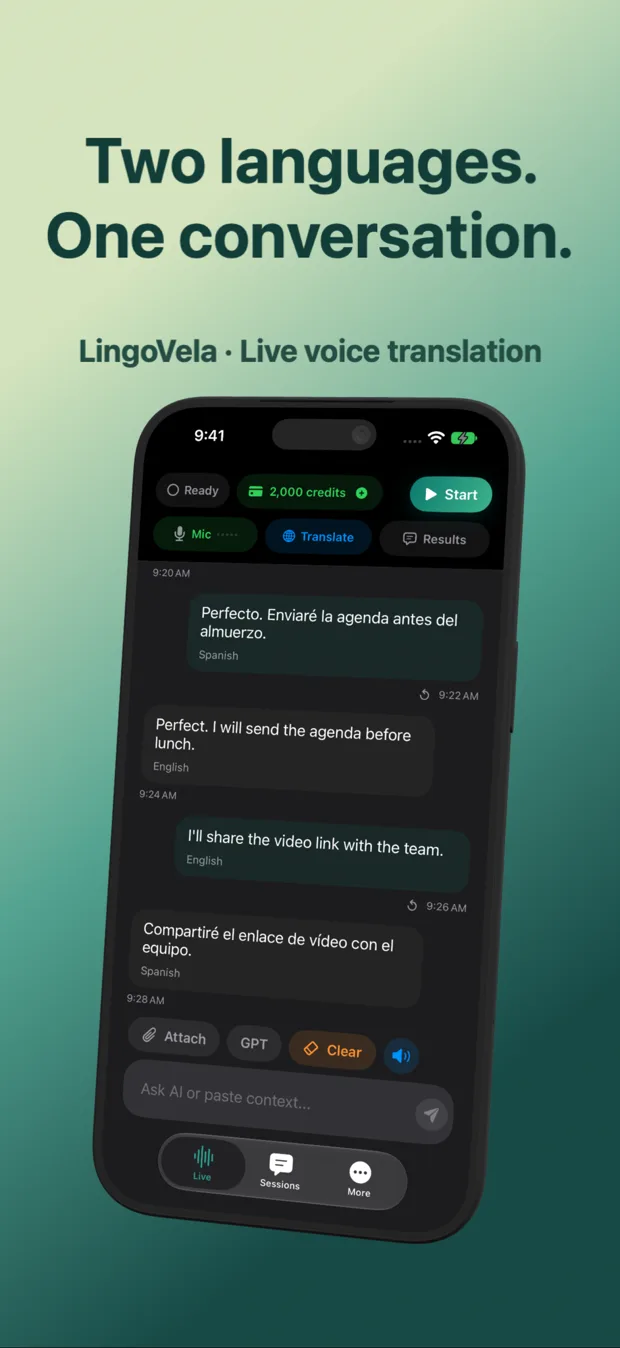
LingoVela removes prompt engineering completely: you pick the two languages, tap start and speak. Both original speech and translated text appear with speaker labels on screen so both participants can verify numbers, dates and negations visually.
| Workflow detail | LingoVela: Live Translate | ChatGPT App (Voice Mode) |
|---|---|---|
| Setup before speaking | Select two languages & tap start (0 prompts needed) | Open chat, write or speak system-style interpreter instructions |
| Risk of AI answering instead of translating | Designed solely for translation between the two selected languages | Assistant can drift into answering questions or adding commentary |
| Dual-language screen readability | Shows original & translated text side by side with speaker labels | Voice orb screen during talk; full transcript reviewed after leaving voice view |
| API key or prompt setup | None required | No API key in consumer app, but requires manual prompting |
| Companion roleplay / grammar tutoring | Not a tutor chatbot | Excellent for open-ended language roleplay, grammar Q&A & writing |
2. Offline fallback, Private Cloud Compute and account privacy
ChatGPT Voice Mode requires an OpenAI account sign-in and a live internet connection at all times. If cellular data drops inside a hospital corridor, subway station or stone building, live voice stops immediately.
LingoVela operates with no user sign-in at all and lets you switch modes when conditions or privacy needs change: OpenAI Online when you have signal and credits, Private Cloud Compute (local transcription + Apple PCC text on iOS 27+) when you want raw audio kept off external servers, and On-Device mode when offline.
| Capability | LingoVela: Live Translate | ChatGPT App (Voice Mode) |
|---|---|---|
| Account login required | None — anonymous device account | Required (OpenAI / Apple / Google login) |
| Offline mode when signal drops | Yes — On-Device mode for prepared compatible pairs (0 AI credits) | No offline mode |
| Apple Private Cloud Compute option | Yes (iOS 27+ & Apple Intelligence; raw audio stays off Apple servers) | No |
| Where transcripts are stored | Locally on your iPhone / iPad only | Stored in your OpenAI cloud chat history (unless temporary chat enabled) |
3. Monthly cost: $9.99/month vs $20/month
If you already pay $20/month for ChatGPT Plus for coding, writing and research, testing ChatGPT Voice for occasional casual translation costs nothing extra. If you specifically want a dedicated iPhone/iPad voice translator without a $20/month AI bundle or account login, LingoVela Plus is $9.99/month with 2,000 AI credits included.
| Comparison point | LingoVela Plus | ChatGPT (Free / Plus) |
|---|---|---|
| Monthly US price | $9.99/month (includes 2,000 AI credits) | $0 (strictly rate-limited) or $20/month (ChatGPT Plus) |
| Optional usage top-ups | $4.99 (1,000 credits) or $19.99 (5,000 credits) | Fixed tier limits; Pro tier is $200/month |
| Best for real two-person conversations | Yes — built for fast two-speaker verification & offline backup | Workable in a pinch, but prone to assistant replies & online-only |
| Best for solo language practice & grammar explanations | Can assist listening/reading, not an open tutor | Superior for solo conversation practice & grammar explanations |
Does LingoVela use OpenAI models under the hood?
In OpenAI Online mode, yes—LingoVela sends voice and translation requests to OpenAI without requiring your own OpenAI account or API key. You can also choose Apple Private Cloud Compute or On-Device mode.
What if I want to record a translated AI session on my iPhone screen?
Arte Soft also publishes GPT Realtime Assistant and Reel Screen Recorder for workflows that pair live AI voice sessions with iPhone screen recording.
Do unused reserved credits disappear if a session ends early?
No. LingoVela reserves credits at session start and automatically refunds any unused reservation to your balance when the session ends.