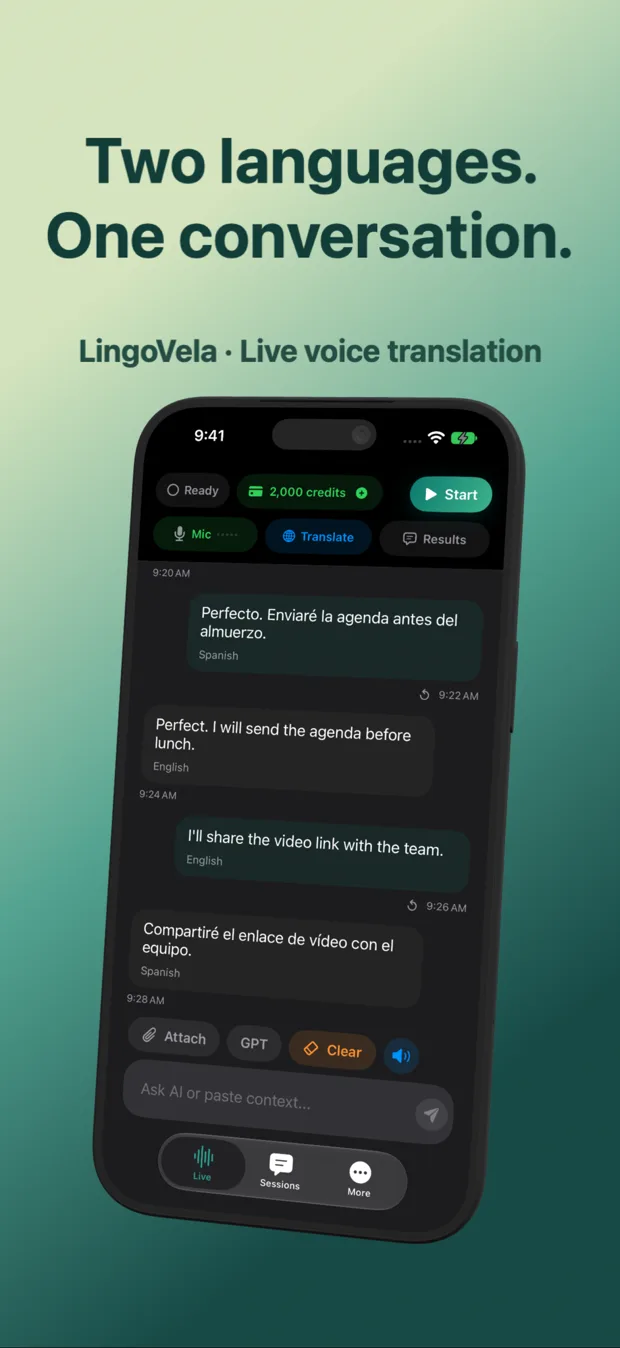
Shared iPhone screen vs AirPods & headphone translation workflows compared
Wearing AirPods during a translated conversation feels futuristic until you realize only one person can hear the earbuds while the person across the counter still needs to hear or read your translated reply. Understanding how iOS routes microphone input and speaker output lets you choose between shared-table mode and one-listener AirPods mode in LingoVela without awkward false starts.
1. Three ways to route audio on iPhone—and who hears what
iOS routes audio according to the active Bluetooth/speaker path. When no headphones are connected, both speakers hear spoken replies from the iPhone speaker and read both languages on screen. When AirPods are connected, playback typically goes into your ears—great for one-way listening or noisy rooms, but silent for the other person unless they read your screen.
| Setup | Who hears spoken replies? | Who sees verification text? | Echo / self-hearing risk |
|---|---|---|---|
| Shared iPhone/iPad on table (no buds) | Both speakers via device speaker | Both speakers on shared screen | Moderate at max volume — let reply finish before speaking |
| You wear AirPods + show iPhone screen | You hear in AirPods; partner reads screen | Both speakers on screen | Very low — playback isolated inside AirPods |
| Dedicated split-earbud hardware (Timekettle) | Each wearer hears their own bud | Must look at companion phone to verify numbers | Low when both wear buds |
2. Microphone capture mistakes with AirPods
The #1 reason AirPods users think a translator “stopped hearing the other person” is microphone selection: if iOS selects the beamforming mic in your AirPods stem, it deliberately suppresses voices three feet away as background noise! Always test both speakers’ distance before relying on Bluetooth mics.
| Input route | Captures your voice | Captures partner across table | Best environment |
|---|---|---|---|
| iPhone built-in mic centered on table | Clear within arm’s reach | Clear within arm’s reach | Cafes, offices, reception counters, family tables |
| AirPods microphone in your ear | Very clear | Often attenuated by voice-isolation beamforming! | One-way listening or when iPhone mic stays selected |
| Wired / clip-on dual mic | Very clear | Very clear | Loud trade-show floors or interviews |
3. Which workflow to choose for each real situation
Match the physical arrangement to whether you are listening to one speaker or conversing back and forth.
| Scenario | Best setup with LingoVela | Why |
|---|---|---|
| Checking in at a hotel, pharmacy or rental counter | Shared iPhone on counter (no AirPods) | Both sides hear spoken output and confirm dates/prices visually |
| Following a talk or tour guide without disturbing neighbors | AirPods in your ears | Private audio playback with zero room noise |
| Noisy restaurant conversation with a friend | Keep volume moderate + verify text on screen | Dual-language transcript prevents misheard numbers |
Why didn’t LingoVela pick up the other person while I wore my AirPods?
When AirPods act as the active iOS audio input, Apple’s beamforming focuses on the wearer’s mouth and filters distant voices. Disconnect AirPods or test input routing before a two-person talk.
Should I hand one of my AirPods to a stranger?
We recommend keeping your AirPods for yourself and placing the iPhone where both people can read and hear—avoiding hygiene and Bluetooth mic confusion.
Does LingoVela prevent self-hearing echo automatically?
Taking clean turns, avoiding maximum speaker volume right next to an active mic, or isolating playback in headphones prevents the phone from re-translating its own output.