Japanese–English voice translators on iPhone compared for Japan travel
Japanese ↔ English breaks ordinary literal translators because everyday Japanese routinely omits the subject (“I”, “you”, “it”) and wraps refusals in polite indirect phrasing. Combining LingoVela for context-aware OpenAI Online conversations (plus 0-credit On-Device backup) with a free camera OCR app for vertical menus solves both sides of a Japan trip on one iPhone.
1. Omitted pronouns, polite indirectness and script readability
When a clerk in Kyoto says “Chotto muzukashii desu” (literally “It is a little difficult”), a literal translator leaves tourists thinking they should try harder—when in polite service Japanese it gently means “That is not possible.” Context-aware LLM translation in LingoVela’s OpenAI Online mode handles conversational register far more naturally while showing clean Japanese script on screen.
| App | Spoken Japanese conversation | Vertical / handwritten menu OCR | Offline voice in shinkansen tunnels | Cost |
|---|---|---|---|---|
| LingoVela: Live Translate | Strong context in OpenAI Online + dual script display | Not included | Yes — On-Device mode (0 credits, active sub) | $9.99/mo |
| Naver Papago | Solid split-mic mode + honorific toggle | Excellent vertical menu & label OCR | Offline text pack; voice expects data | Free |
| VoiceTra (NICT Japan) | Research-backed travel speech phrases | No camera OCR | Requires internet connection | Free |
| Google / Apple Translate | Usable for short direct sentences | Good live camera overlay | Apple On-Device supported; verify in Airplane Mode | Free |
2. Quiet-space etiquette in Japan: trains, shrines and ryokans
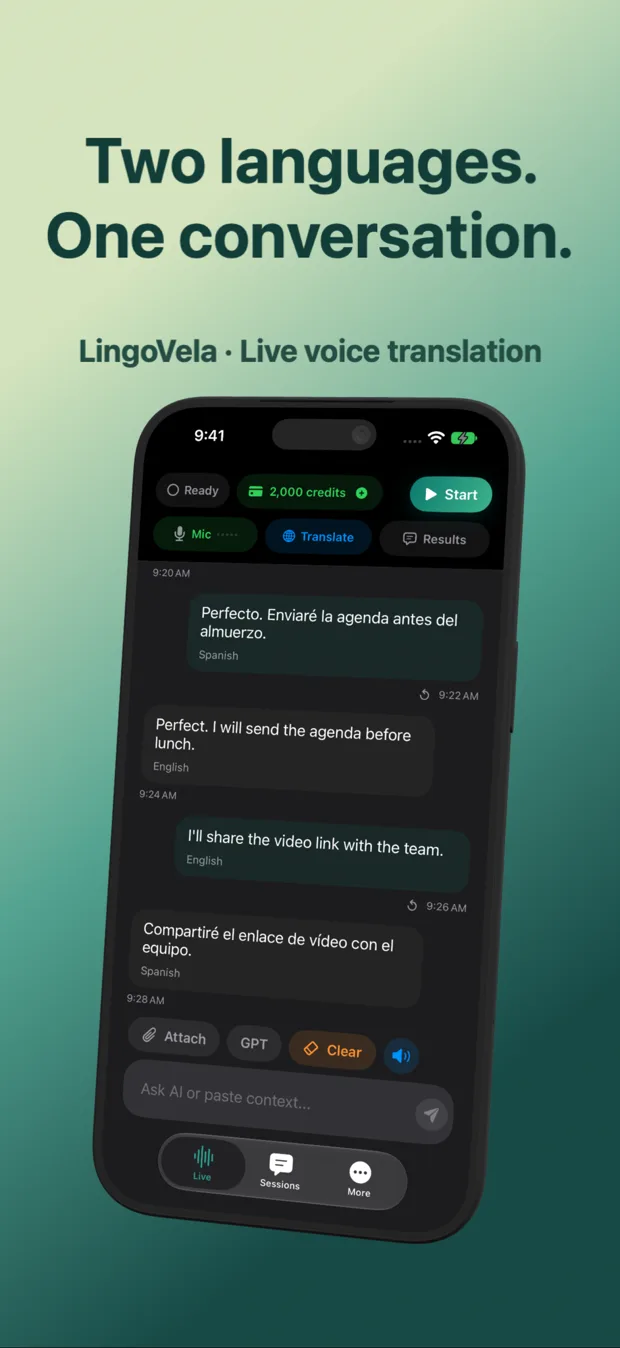
Playing loud synthetic voice audio on a Tokyo commuter train or inside a quiet restaurant is frowned upon. Because LingoVela displays both the original English and the translated Japanese text clearly on screen, you can mute speaker volume and smoothly show the readable Japanese sentence when quiet etiquette matters.
| Location in Japan | Best etiquette with LingoVela | Why |
|---|---|---|
| Inside trains, elevators or quiet museums | Lower/mute volume & show translated text on screen | Respects Japan’s silent-phone transit norms |
| Ryokan check-in, luggage forwarding or station counter | Moderate spoken output + shared counter screen | Confirms times, room rules & dietary details clearly |
| Busy izakaya or ramen shop | Use Papago/Google Camera on menu, LingoVela for staff questions | Separates printed dish names from spoken allergen/seat questions |
3. Ideal 2-app Japan homescreen folder on iPhone
Instead of juggling six translation icons at a ticket gate, pair one dedicated conversation translator with one visual camera tool.
| Role | Recommended app | Preparation before flight |
|---|---|---|
| Two-way spoken conversations & offline voice backup | LingoVela | Activate subscription & test Japanese ↔ English On-Device in Airplane Mode |
| Vertical menus, vending machines & kanji signs | Naver Papago or Apple/Google Camera | Download Japanese offline text/camera pack |
How can I make English sentences translate much more accurately into Japanese?
State the subject explicitly (“Can my wife and I leave two bags until 3 PM?” instead of “Can leave until 3?”) so neither speech recognition nor Japanese politeness has to guess who is acting.
What is VoiceTra and how does it differ from LingoVela?
VoiceTra is a free travel speech app from Japan’s NICT research institute; it works well online for travel sentences but has no offline mode and no OpenAI/Apple PCC engine selection.
Does LingoVela keep my ryokan or travel transcripts private?
Yes—saved conversations stay locally on your iPhone or iPad with zero account sign-in.