Spanish–English live voice translators on iPhone compared (Mexico, Spain & US)
Spanish ↔ English is the best-supported language pair on iOS—which means bare word accuracy is high across almost every app, and the real differences come down to regional slang (Mexican vs Rioplatense vs Peninsular Spanish), fast conversational pacing, offline readiness and whether your family or client conversations stay private on your phone.
1. Regional Spanish idioms, fast speech and verification
Textbook Spanish (“autobús”, “ordenador”) is easy for any engine; rapid everyday speech full of regionalisms (“ahorita”, “chamba”, “guagua”, “vale”) and dropped final consonants challenges rigid phrase translators.
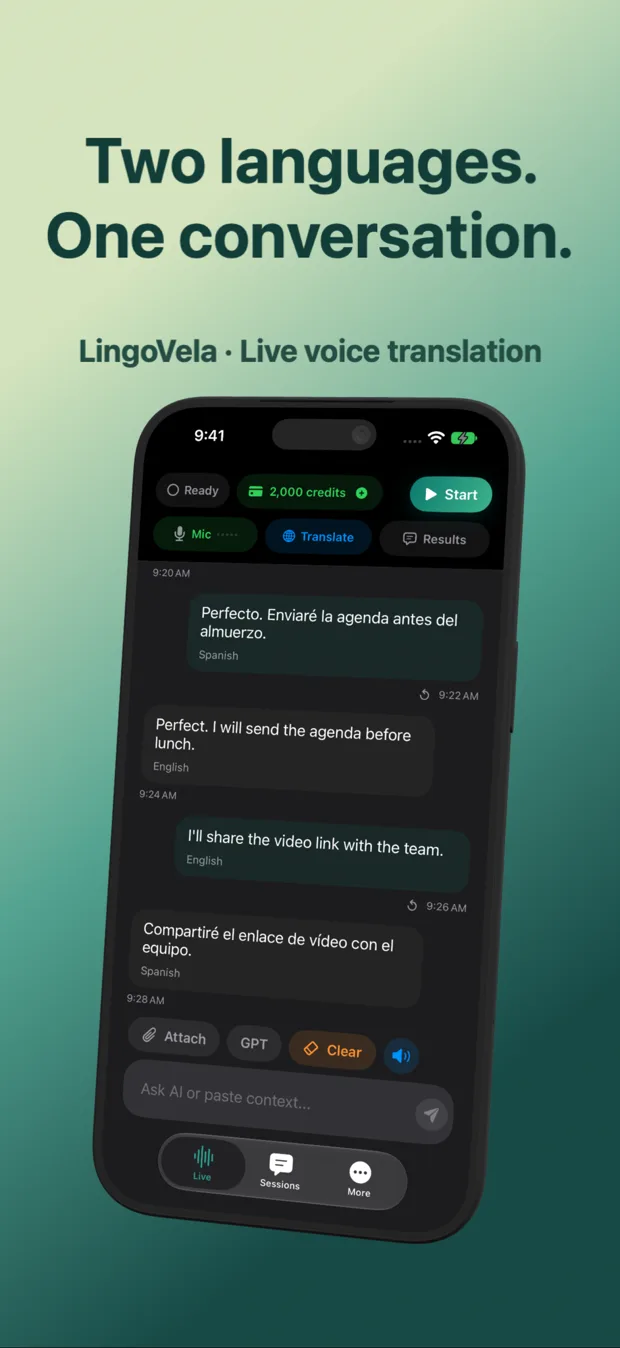
In LingoVela, OpenAI Online handles colloquial context naturally while displaying both the recognized Spanish words and the English translation on screen—so a Spanish speaker can immediately spot if noise clipped a word.
| Tool | Colloquial / regional Spanish nuance | Offline Spanish–English speech | Saved 2-speaker transcript | Price |
|---|---|---|---|---|
| LingoVela: Live Translate | Strong in OpenAI Online; solid local On-Device backup | Yes — 0-credit On-Device mode (active sub) | Yes — local on-device log with speaker labels | $9.99/mo (2,000 credits) |
| Apple Translate | Good for standard sentences; literal on heavy slang | Yes — downloadable Spanish & English packs | Transient conversation bubbles | Free |
| Google Translate | Broad vocabulary; occasional literal idiom misses | Offline text pack; verify offline iOS mic | Basic recent history | Free |
| ChatGPT Voice Mode | Very strong regional Spanish understanding | None (online-only) | Cloud chat log (can answer instead of translating) | Free / $20/mo |
2. Formal “usted” vs informal “tú / vos” and numbers
Whether speaking with an elderly relative, a contractor or a municipal clerk, register and numbers (dates in day/month vs month/day order!) cause more real-world misunderstandings than vocabulary.
| Trap | Example | Best safeguard on iPhone |
|---|---|---|
| Date order ambiguity | “04/07” = July 4 in Spain/LatAm vs April 7 in US | Say the month name aloud (“four of July”) & check screen text |
| “Ahorita” timing | Can mean “right now” or “in an hour / later today” | Follow up with a concrete clock time (“¿a las tres?”) |
| Polite register (usted vs tú) | Service counters in Colombia/Mexico vs casual Spain | Keep complete polite sentences; check displayed Spanish phrasing |
3. Which Spanish–English app fits your daily routine?
Pick based on frequency, privacy and whether you need camera menus alongside conversation.
| Use case | Best setup | Why |
|---|---|---|
| Bilingual family, in-laws, property management or frequent LatAm/Spain trips | LingoVela | OpenAI conversational nuance + local transcripts + 0-credit offline mode |
| Quick weekend beach trip & reading printed tapas menus | Apple Translate or Google Translate | Free built-in camera + basic face-to-face mode |
| Solo Spanish speaking practice & grammar drills at home | ChatGPT Voice / Babbel / Pimsleur | Built for solo study rather than live 2-person interpreting |
Does Spanish–English work well in LingoVela’s 0-credit On-Device mode?
Spanish and English are flagship iOS offline speech and translation languages; download the assets on Wi-Fi first and run a quick Airplane Mode check on your device.
Can I use AirPods for Spanish–English translation?
Yes for private listening, though for a two-way counter or table conversation placing the iPhone between both speakers lets everyone hear and read without AirPods mic filtering.
Does LingoVela require an account for family members to use on an iPad?
No—anyone at the table can read and speak with zero user login.