Best live voice translator apps for Android in 2026, for real two-way conversations
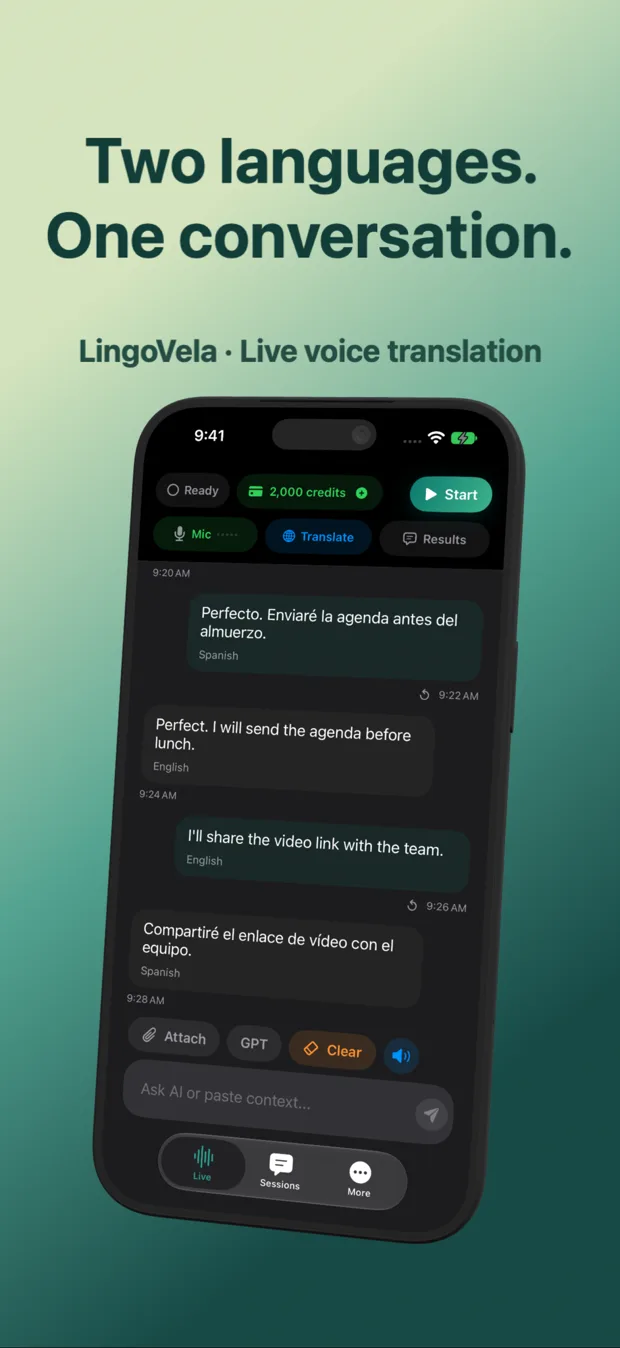
For a quick question, Google Translate's conversation mode is free and good enough. For a real back-and-forth, such as a landlord visit, a dinner with in-laws or a pharmacy counter, choose an app that detects who is speaking, reads the translation aloud and keeps both languages on screen. On a Galaxy AI or recent Pixel phone, the built-in interpreter does that for its supported languages. On any other Android phone, or for language pairs those modes do not cover, LingoVela is built for exactly this, but it requires a subscription.
What people actually ask for
The questions on r/travel, r/machinetranslation, r/expats and r/askanything repeat the same complaint: translation apps work for single sentences, but conversations fall apart. Someone has to tap a button before every turn, the app cuts a sentence in half, or the reply is translated in the wrong direction. The useful test is therefore not "which app translates best" but "which app lets two people keep talking".
- Turn-taking: does the app work out who is speaking, or does someone tap a language each time?
- Output: is the translation spoken aloud, and are the original and the translation both visible?
- Coverage: does it support your language pair, and does it work offline if you need it to?
- Device: does it need a particular phone (Galaxy AI, Pixel) or any Android phone?
Comparison
Facts below were checked on 20 November 2026 against each vendor's documentation and recent coverage. Built-in features roll out by region and model, so check your own phone.
| App | Who decides the language | Spoken + on-screen output | Offline | Phones | Price |
|---|---|---|---|---|---|
| Google Translate (conversation / Live translate) | Automatic language detection between the two chosen languages | Yes | Offline Live translate reported on Pixel 9 and newer only, English to 10 languages, one direction; text offline packs on any phone | Any Android | Free |
| Samsung Interpreter (Galaxy AI) | Tap a side, or listen mode; split screen faces both people | Yes | Uses downloadable language packs; Samsung notes some features may need internet | Galaxy AI phones (One UI 6.1+) | Included with the phone |
| Pixel Live Translate / interpreter mode | Automatic within the pair | Yes | Depends on downloaded models and model | Pixel phones | Included with the phone |
| Microsoft Translator | Tap per speaker in face-to-face mode; multi-device conversation by code | Yes | Text packs; conversation needs internet | Any Android | Free |
| ChatGPT Voice | Prompted; can drift into answering instead of translating | Spoken; transcript in chat | No | Any Android | Free tier; paid plans |
| LingoVela | Translate both ways detects which of the two languages each person spoke | Yes, original and translation side by side | On Device mode after downloading languages | Any Android 8.0+ | $9.99/month or $119.99/year (US), no free tier |
Which one to install
If you have a Galaxy AI phone or a recent Pixel and your language pair is supported, start with the built-in interpreter: it is already paid for. Keep Google Translate as a free backup on every phone; it is the best tool for signs and one-line questions.
Install LingoVela when conversations are long and frequent (family, a new job, an extended stay), when your phone has no interpreter mode, or when the built-in mode keeps cutting you off. The things it does that the free options often do not: it keeps both languages readable for both people, it speaks every translation, it handles turns without a tap in online mode, and it saves the conversation so you can re-read an address or a dosage later. The honest trade-off is price: it is a subscription, while the alternatives above are free or included with the phone.
A 2-minute test before you rely on any app
- Pick the real language pair and sit where you will actually talk (café, car, counter).
- Ask one question with a number in it: "What time does the last train leave?"
- Let the other person answer naturally, without slowing down.
- Check that the number survived in both languages on screen and in the spoken output.
- Repeat with background noise. If the app cuts sentences or swaps directions, try another before the day that matters.
What is the best free live translator for Android?
Google Translate's conversation mode is the best free option on any Android phone. Galaxy AI and Pixel owners also have a built-in interpreter at no extra cost.
Which Android translator works without tapping before each turn?
Google Translate and Pixel Live Translate can detect the language within a chosen pair, and LingoVela's Translate both ways does the same in its online mode. Microsoft Translator's face-to-face mode and Samsung's tap mode expect a tap per speaker.
Is a translator app better than translation earbuds?
For two people at a table, a phone between you is usually clearer: both can read the text. Earbuds help when you cannot look at a screen; most still rely on a phone app.