Google Translate conversation mode alternatives: when the free app is not enough
Google Translate's conversation mode is free and very good at single sentences. It struggles when people talk naturally: it can stop listening mid-sentence, pick the wrong direction when both languages sound similar, and it shows little of what was said before. Fix the settings first. If conversations are long or important, a dedicated conversation translator such as LingoVela (Android now, iPhone in App Store review), the built-in Samsung or Pixel interpreter, or Microsoft Translator's multi-device mode are the realistic alternatives.
The usual complaints, and what causes them
Threads such as "Easier app to use than Google Translate?" (r/travel) and "Best translation app that's not Google?" (r/ThailandTourism) describe the same three problems.
- It cuts people off: conversation mode ends a turn at the first pause. People who think while they speak get split into fragments that translate badly.
- Wrong direction: automatic detection guesses which of the two languages it heard. Short answers ("yes", "OK", names) are easy to misread.
- No memory of the talk: earlier turns scroll away, so checking an address or a price later means asking again.
Try these fixes first
- Use manual mode: tap the speaker's language instead of Auto when short replies keep going the wrong way.
- Speak in complete sentences and avoid long pauses; restate numbers ("fifteen, one-five").
- Download both languages for offline text translation, so a weak signal does not stall the app.
- Turn the phone so the other person can read the screen; most mistakes are caught by the reader, not by the app.
Alternatives compared
| App | Best for | Limits | Price |
|---|---|---|---|
| Samsung Interpreter | Galaxy AI owners; split screen faces the other person | Galaxy AI phones only; 22 Galaxy AI languages (Samsung, Oct 2025) | Included |
| Pixel Live Translate | Recent Pixel owners | Pixel only; features vary by model and region | Included |
| Microsoft Translator | Groups: each person joins on their own phone with a code | Needs internet for conversations | Free |
| DeepL Voice | Business meetings | Sold to businesses, not as a consumer conversation app | Business plans |
| ChatGPT Voice | Flexible, explains idioms | Needs a careful prompt; may answer instead of translating | Free tier / paid |
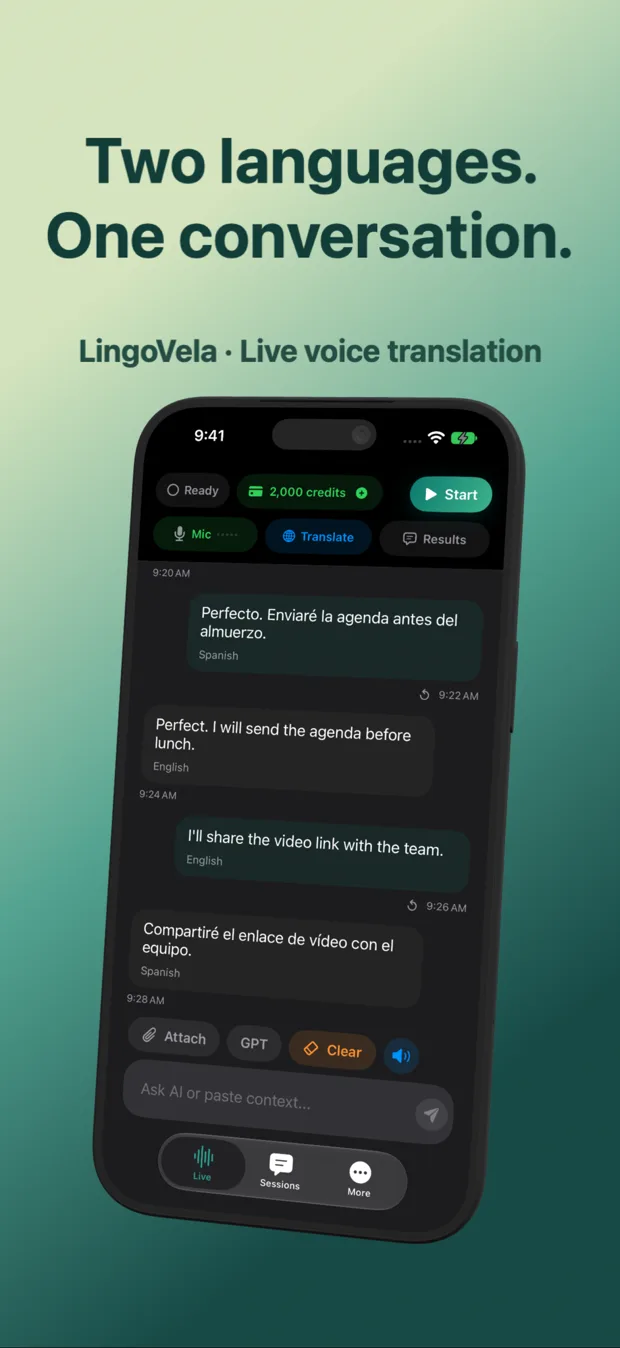
| LingoVela | Long face-to-face conversations; speaks every translation; both languages side by side; saved history | Subscription required; not for phone calls | $9.99/month (US) |
When to keep using Google Translate
For signs, menus, one-off questions and anything where free matters most, Google Translate remains the right first app. Many travellers keep it next to a conversation app: the camera for text, the conversation app for talking. See our iPhone-specific comparison and the Android comparison.
Why does Google Translate conversation mode stop listening?
It ends a turn at the first pause it detects. Speaking in complete sentences, or switching to manual mode and holding the microphone for each speaker, reduces cut-offs.
Is there a better free alternative?
On Galaxy AI and Pixel phones the built-in interpreter is free. Microsoft Translator is free on any phone and adds multi-device conversations.
What does LingoVela do differently?
It is built only for conversations: in online mode it detects which of the two languages each person spoke, speaks every translation aloud, shows original and translation side by side and saves the conversation on the device. It needs a subscription.