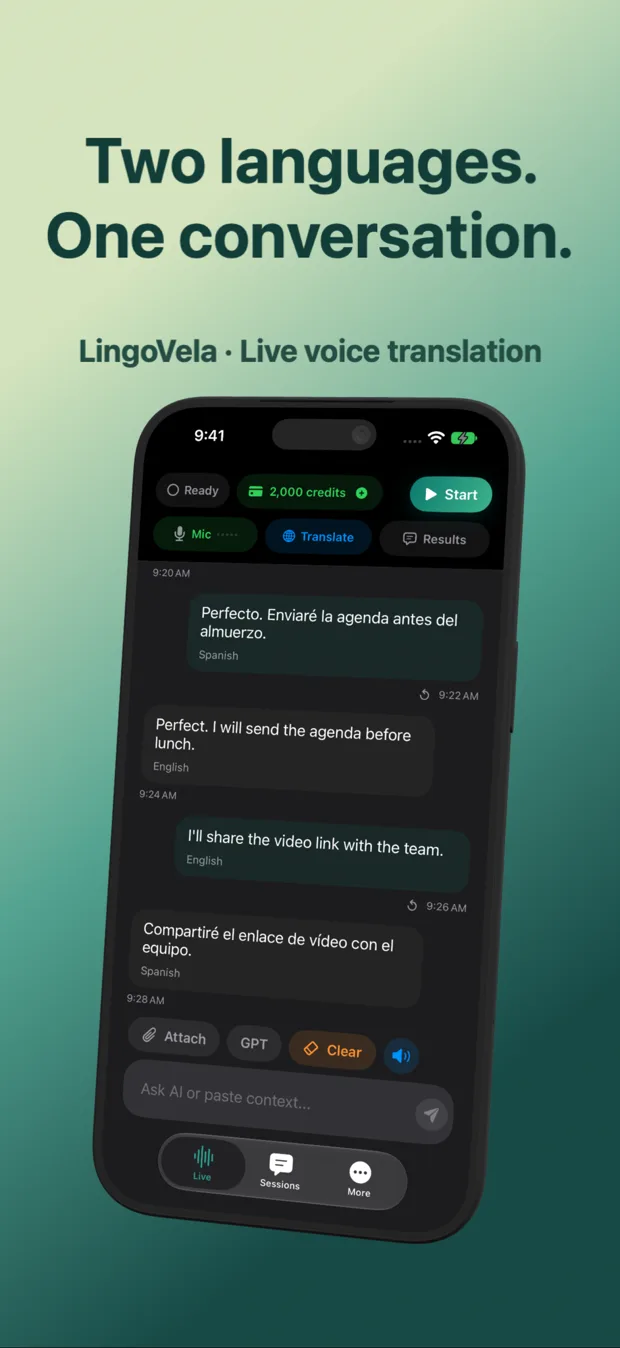
LingoVela for Android: live two-way voice translation on Google Play
LingoVela is now on Google Play for Android phones and tablets running Android 8.0 or later. Two people speak in different languages; LingoVela says the translation aloud and shows the original and the translation side by side, so both people can check what was understood. Online mode covers 57 languages, and On Device mode translates without a connection once the languages are downloaded.
What LingoVela does on Android
LingoVela is built for one situation: two people in the same place who do not share a language. Choose the two languages, put the phone between you and talk. Each turn is transcribed, translated, spoken aloud and kept on screen in both languages. Install it from Google Play.
With Translate both ways switched on (the default for new online sessions), LingoVela works out which of the two languages each speaker used, so nobody has to tap a language button before speaking. That is the difference people notice first compared with conversation modes that need a tap for every turn.
- OpenAI · Online: voice translation in 57 languages, including English, Spanish, French, German, Portuguese, Chinese, Japanese, Korean, Arabic and Hindi. Needs internet and uses AI credits.
- On Device (offline): Google on-device translation. Download the languages while online, then translate without a connection. Offline voice also needs your phone's speech recognition to support the language. Uses no AI credits.
- Photo and text translation for menus, signs and messages.
- Saved conversations stay on your device; there is no sign-in, only an anonymous device account that holds the subscription.
Requirements and price
LingoVela is not free: every mode, including On Device, needs an active LingoVela Plus subscription. Google Play bills it and shows the local price before you buy.
| Item | Price (US) | What it includes |
|---|---|---|
| LingoVela Plus Monthly | $9.99 / month | All modes; 2,000 AI credits each month |
| LingoVela Plus Yearly | $119.99 / year | All modes; 30,000 AI credits over 12 months (2,500 per month) |
| Credit pack | $4.99 | 1,000 extra AI credits |
| Credit pack | $19.99 | 5,000 extra AI credits |
| Android version | — | Android 8.0 or later, phones and tablets |
Android and iPhone
The iPhone and iPad version (iOS 26 or later) is in App Store review and is not downloadable yet. When it is released, the same features will be there, plus Apple's Private Cloud Compute mode on devices with Apple Intelligence. A subscription belongs to the store where you bought it: Google Play for Android, Apple for iOS.
When to use something else
LingoVela is not a phone-call bridge: the other person cannot hear the translation inside a call. For calls, Pixel 10 Voice Translate or Samsung Call Assist are the right tools (see translating phone calls on Android). For medical consent, court or immigration matters, ask for a qualified interpreter.
Is LingoVela free on Android?
No. Installing is free, but all translation modes need an active LingoVela Plus subscription ($9.99 a month or $119.99 a year in the US). On Device mode uses no AI credits.
Does LingoVela work offline on Android?
Yes, in On Device mode, after you download the translation languages while online. Spoken input offline also needs your phone's speech recognition to support that language.
Which Android phones are supported?
Phones and tablets running Android 8.0 or later with Google Play. It does not need a Galaxy AI or Pixel phone.