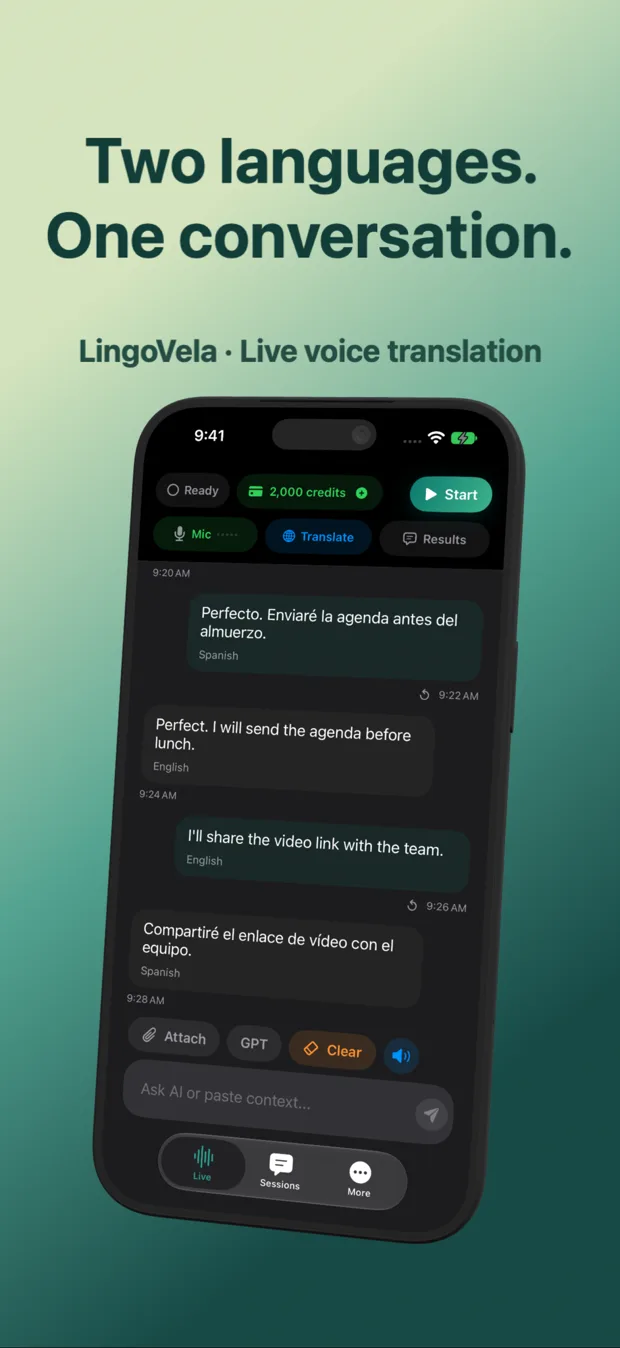
iPhone live translation (LingoVela) vs Samsung Galaxy AI Interpreter & Google Pixel Live Translate
Samsung Galaxy AI Interpreter and Google Pixel Live Translate ship deep OS hooks on Android—including carrier phone-call translation and folding dual-screen views—that Apple restricts third-party iOS apps from accessing. On iPhone and iPad, LingoVela closes the in-person conversation gap with OpenAI Online fluency, Apple Private Cloud Compute and zero-credit On-Device offline speech, while stating clearly where iOS system boundaries sit.
1. OS-level Android hooks vs what runs natively on iPhone
Because Samsung and Google control the Android dialer and audio mixer on their own hardware, Galaxy AI and Pixel Live Translate can inject voice translation into standard cellular phone calls and system captions. On iOS, sandbox rules prevent App Store apps from tapping cellular call audio directly.
For face-to-face spoken conversations—which account for the vast majority of travel, expat and family translation—LingoVela gives iPhone and iPad users a dedicated two-way screen powered by OpenAI Online, Apple PCC or local On-Device models.
| Capability | LingoVela on iPhone / iPad | Samsung Galaxy AI Interpreter | Google Pixel Live Translate |
|---|---|---|---|
| In-person 2-way voice conversation | Yes — dual-language transcript & spoken replies | Yes — Interpreter split/fold view | Yes — Interpreter / Google Translate integration |
| OpenAI conversational LLM mode | Yes — OpenAI Online mode built in | Uses Samsung / Google Gemini models | Uses Google Tensor / Gemini models |
| Apple Private Cloud Compute mode | Yes (iOS 27+ & Apple Intelligence) | Android only (not on iOS) | Android only (not on iOS) |
| Offline on-device voice translation | Yes — On-Device mode (0 credits, active sub) | Yes — downloaded Galaxy language packs | Yes — Tensor on-device language packs |
| Direct cellular phone-call audio injection | Not permitted by iOS App Store sandbox | Supported in native Samsung Phone dialer | Supported on supported Pixel models/regions |
2. Privacy, accounts and buying a second Android phone vs using your iPhone
Some iPhone owners consider buying a secondary Pixel or Galaxy handset solely as a travel translator. Carrying two phones means managing two chargers, two eSIMs and a Google/Samsung login—whereas LingoVela runs on the iPhone and iPad you already carry.
| Factor | LingoVela on your existing iPhone | Buying a secondary Galaxy / Pixel for travel |
|---|---|---|
| Upfront hardware cost | $0 (uses your iPhone / iPad) | $400–$1,000+ second smartphone |
| Account sign-in required | None (anonymous device account) | Samsung Account + Google Account |
| Saved transcript privacy | Local on-device conversation log | Managed under Samsung / Google OS settings |
| Cost for a 1-month trip | $9.99 (1 month LingoVela Plus) | Full phone cost + extra travel eSIM |
3. Practical guide for mixed iPhone + Android households
Even if one partner owns a Samsung Galaxy Buds/phone and the other owns an iPhone, remember that proprietary earbud features (like Samsung Buds Live Translate) require a Samsung Galaxy handset—they behave only as standard Bluetooth audio on an iPhone.
| Your phone today | Recommended setup | Why |
|---|---|---|
| iPhone or iPad (iOS 26+) | LingoVela + stock Apple Translate Camera | Combines OpenAI/PCC/offline conversations with free Live Text camera OCR |
| iPhone owner tempted by Samsung Buds for translation | Skip Samsung Buds; use LingoVela + existing AirPods | Samsung’s AI translation stays locked to Galaxy phones, not iOS |
| Need translated phone calls on iPhone | Speakerphone + second device, or dedicated call-bridge service | iOS sandbox blocks ordinary voice apps from tapping cellular calls |
Do Samsung Galaxy Buds or Pixel Buds unlock built-in AI translation when paired to an iPhone?
No. Vendor-exclusive translation features on Galaxy Buds and Pixel Buds depend on Samsung Galaxy or Android host software; on an iPhone they act as standard Bluetooth headsets.
Can LingoVela translate a live cellular phone call on the same iPhone?
No. Like other standard App Store voice translators, LingoVela uses the device microphone for in-person speech rather than intercepting cellular call audio.
Does LingoVela work on iPad as well as iPhone?
Yes—natively on both iPhone and iPad running iOS/iPadOS 26 or later.