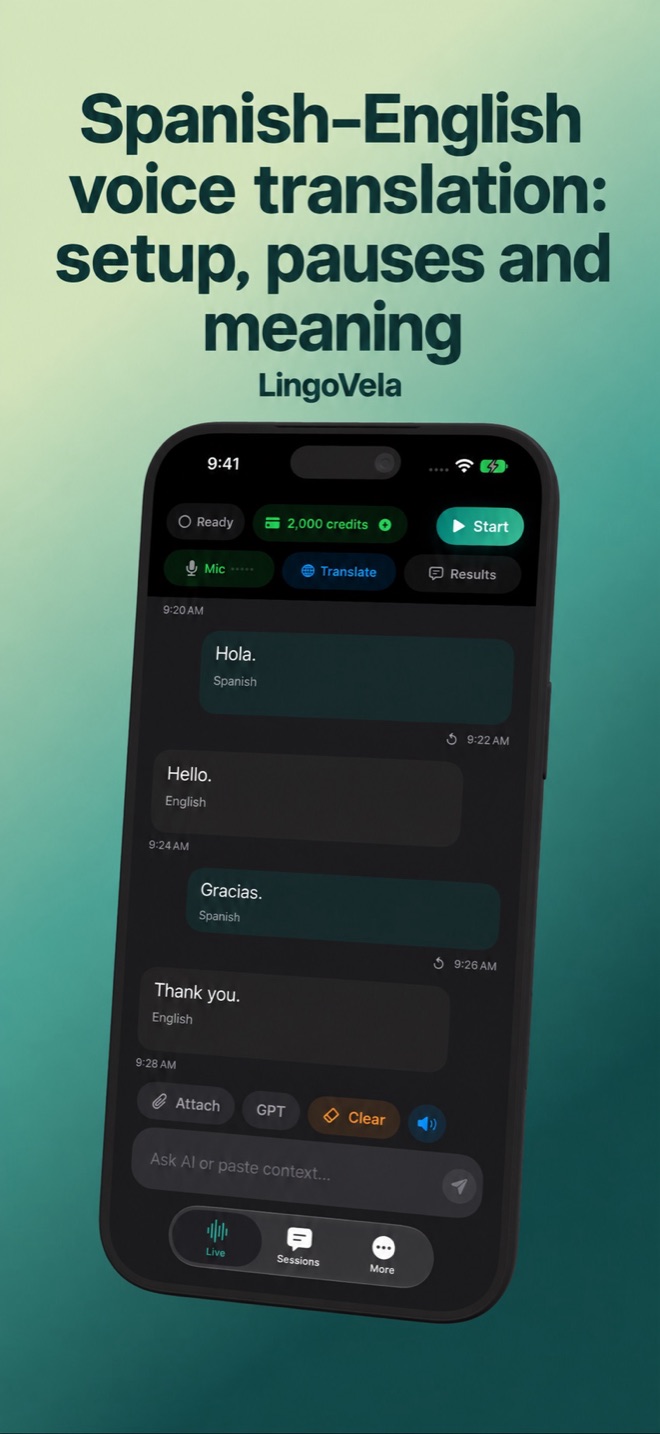
Spanish–English voice translation: setup, pauses and meaning
Verify a complete exchange in both directions. A successful greeting or typed translation does not prove that the next spoken reply will work.
Choose the conversation, not the interface language
First decide whether you need a shared-phone exchange, text to read or spoken output. A meeting caption, phone call and in-person microphone session are different workflows. Start with an ordinary sample both people agree to use.
In LingoVela, select the translation mode and English/Spanish pair, allow microphone access when requested and check that recognition and the desired output are ready. The app’s interface language is separate from the people’s languages. The checklist below is a proposed test, not a device or accuracy benchmark.
Test microphone, original, translation and reply
Keep the screen visible to both people and take turns. Use a person who can check the intended meaning in both languages; fluent audio alone is not a review.
- Say one short question. Check that the recognised original matches what was said before judging its translation.
- Read or hear the result on the intended device. If text appears without sound, check the chosen output and volume instead of assuming recognition failed.
- Let the other person reply in the second language. Verify the answer in the reverse direction, including a negation or correction.
- Try a longer answer with a natural pause. Check whether listening resumes, needs another tap or loses part of the sentence. Repeat the missing part explicitly.
- If the result remains unclear, type the important detail or rephrase it. Recheck speech separately afterwards; a working text input does not prove the microphone works.
Confirm numbers, dates and the subject of the sentence
Use a quantity, time and a negative statement in the sample. Show the date with the month written out and the price with its currency when confirming a booking. Confirm who is doing what, rather than accepting a sentence simply because it sounds smooth.
If generated wording describes the wrong person or object, explain the intended subject and ask for a new phrasing. Do not silently guess or correct an unfamiliar form from memory. For an important decision, have the recipient confirm the intended detail through the appropriate process.
Clarify wording, address and language switches
Spanish forms of address vary: RAE discusses tú, vos and usted and differences in plural usage. Ask how the person prefers to be addressed rather than assigning a form from age or country.
Do not replace a translated word just because it resembles English. For example, Cambridge gives en realidad for the “in fact” sense of actually. Consult context and a reliable dictionary instead of relying on resemblance. If regional wording is unfamiliar, describe the object or situation in simpler terms.
If someone switches between Spanish and English, pause and confirm the intended language and meaning. Do not assume an automatic code-switching or dialect feature that the selected mode does not document. Try the actual mixed exchange separately, and use short single-language turns if it is unreliable.
Reading and hearing are different outputs
Google’s iPhone guide distinguishes listening, conversation and silent text output. That is a reason to check the selected mode, not a guarantee about another app.
Test who receives sound and who sees text. If headphones are used, verify the reply reaches the other person too; audio in your ear does not establish that. If there is no suitable audio route, try a checked shared-screen exchange rather than buying an unrelated feature.
Prepare the exact offline mode before travel
All LingoVela translation modes require an active subscription. On Device needs compatible prepared recognition, translation and speech resources and uses no AI credits. OpenAI · Online and Private Cloud Compute use internet, credits and the relevant provider consent. Availability depends on the mode and device.
Prepare the intended English/Spanish setup while connected, then test the whole exchange without network access before relying on local mode. Verify source words, translated meaning and required audio in both directions. A downloaded text resource or translated interface does not establish offline speech readiness. Restore connectivity after the test.
Choose the next tool from the actual task
Use the linked app-selection guide to compare the feature, purchase terms and data handling you need. This article does not rank providers by Spanish accuracy or assume that paid or cloud translation is always better. LingoVela’s privacy policy describes its own data flows, not those of another provider.
For a platform meeting, check the approved meeting workflow separately. For a professional or official appointment, ask the responsible organisation what language assistance and confirmation it needs. LingoVela is not a meeting integration, certified interpreter or automatic booking service. Keep the unclear original available for a qualified person when needed.
Is Spanish voice translation free in LingoVela?
All translation modes require an active subscription. Local mode uses no AI credits; online modes use credits. Check the actual purchase and mode requirements. Other providers’ free downloads and feature allowances must be checked separately.
Will the app automatically handle Spanglish or every Spanish dialect?
Do not assume that. Test the actual exchange with the selected recognition, translation and voice setup. Confirm switches and rephrase unclear words; a generic Spanish option is not proof of a separate dialect selector or automatic mixed-language handling.
Why does typed translation work when voice input does not?
Text and microphone input are different paths. Check microphone permission, the intended audio route and recognised original words, then retest a short exchange. A typed result does not verify the voice path.
What if the other person does not understand a regional word?
Describe the object or situation, show a shared reference where appropriate and ask for confirmation. Check an unfamiliar expression in a reliable dictionary. Do not treat a fluent output or country label as proof of the intended meaning.