Best offline voice translator apps on iPhone compared (true Airplane Mode matrix)
Dozens of iPhone apps advertise “offline translation,” yet many only translate typed text offline while silently failing as soon as you tap the microphone without Wi-Fi. True offline voice conversation requires three local assets on your iPhone: offline speech recognition, an on-device translation model and local text-to-speech synthesis.
1. Airplane-Mode reality check across iPhone translators
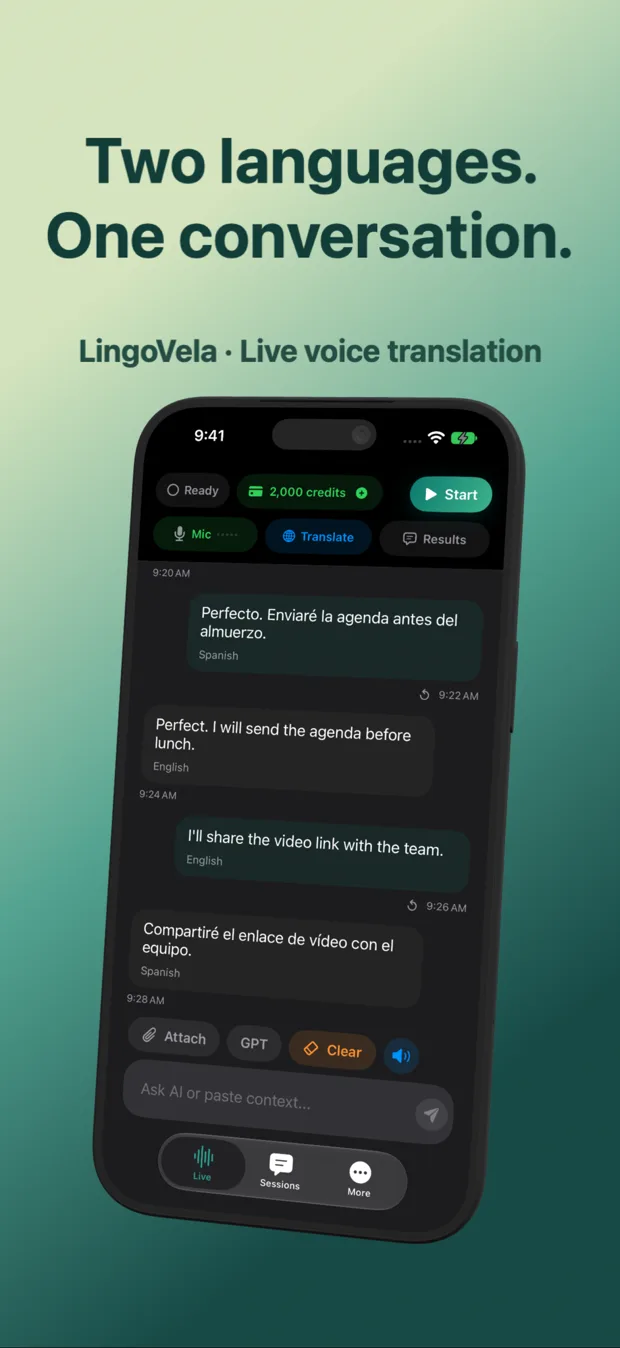
Before boarding a flight or heading into mountain/subway dead zones, separate text-only offline packs from full two-way offline speech. In LingoVela, On-Device mode runs compatible downloaded translation models plus supported offline speech recognition locally at 0 AI credits (with an active subscription activated while online).
| App | Offline text translation | Offline 2-way microphone speech | Extra cost / credit spend offline |
|---|---|---|---|
| LingoVela (On-Device mode) | Yes (compatible downloaded pairs) | Yes (requires compatible downloaded models + supported iOS offline speech) | 0 AI credits (active $9.99/mo subscription required) |
| Apple Translate (On-Device Mode) | Yes (downloaded packs) | Yes for supported Apple Translate pairs when On-Device toggled | $0 (built into iOS) |
| Google Translate (iOS) | Yes (50+ downloadable text packs) | Limited on iOS — always test mic in Airplane Mode per pair! | $0 |
| iTranslate Pro | Yes (Pro offline packs) | Limited to specific Pro offline voice pairs | Requires paid Pro subscription |
| ChatGPT / Gemini Live / DeepL Voice | No | No — 100% cloud dependent | Cannot run offline |
2. Why one direction sometimes works offline while the reply fails
Offline speech recognition and offline speech playback are asymmetric: your iPhone may already hold English offline dictation and voices while missing Japanese or Thai offline recognition assets.
| Step | What to do before leaving Wi-Fi | What failure looks like if skipped |
|---|---|---|
| 1. Activate subscription & permissions | Open LingoVela online, confirm active subscription & allow Microphone | App cannot verify new purchase for the first time in Airplane Mode |
| 2. Download both language directions | Prepare compatible translation & offline speech assets for Language A ↔ B | Text translates one way, or microphone refuses to start |
| 3. Enable Airplane Mode + disable Wi-Fi | Turn off both cellular and Wi-Fi (keep Bluetooth on only if testing buds) | Phone secretly uses hotel Wi-Fi and hides missing offline pack! |
| 4. Speak & listen in BOTH directions | Say a sentence in Language A, hear B; speak B, hear A | Discovers missing target-language TTS voice while you can still download it |
3. Offline accuracy expectations vs cloud modes
Compact models that fit in a few hundred megabytes on a phone trade away some idiomatic nuance compared with multi-gigabyte cloud LLMs. Keep sentences shorter and clearer when offline, and switch back to LingoVela’s OpenAI Online or Private Cloud Compute when connectivity returns.
| Traveler profile | Recommended offline stack on iPhone | Why |
|---|---|---|
| Subscriber wanting seamless cloud + offline in one transcript | LingoVela (On-Device + OpenAI Online) | 0-credit offline mode preserves credits; online mode handles complex talks |
| Zero-budget traveler in major supported languages | Apple Translate (download packs + On-Device toggle) | Reliable free local baseline on iOS |
| Offline menus, signs & Chinese characters | Apple/Google offline Camera + Pleco (for Chinese) | Handles printed scripts without cellular data |
Why must Wi-Fi also be turned off when testing Airplane Mode?
On modern iOS, turning on Airplane Mode often remembers and keeps Wi-Fi active—so your test silently uses home Wi-Fi unless you explicitly toggle Wi-Fi off too.
Does LingoVela’s On-Device mode deduct from my 2,000 monthly AI credits?
Never. On-Device translation uses your iPhone or iPad hardware and consumes 0 AI credits.
Does every language in LingoVela’s online list also work offline?
No. Offline availability depends on compatible downloaded translation models and supported offline speech recognition on your device and iOS version.