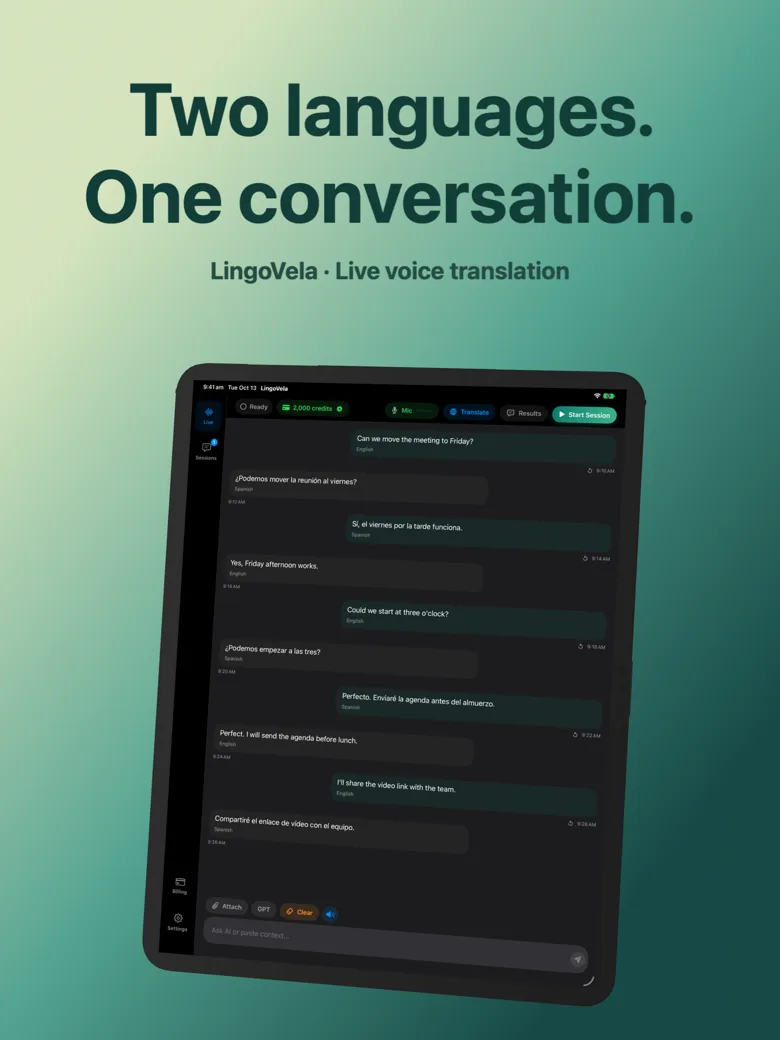
LingoVela vs Claude iOS app for translation: nuanced text vs live two-way voice
Writers and bilingual professionals widely praise Claude for nuanced, idiomatic written translation of emails, contracts and literary passages. Across a cafe table or airport desk, however, a chat-first assistant with mandatory login and zero offline support is the wrong ergonomics for live two-way speech—where LingoVela’s dedicated dual-speaker screen, spoken replies and On-Device fallback belong.
1. Live spoken turn-taking vs thoughtful written translation
Claude excels when you paste a three-paragraph business email or photograph a printed letter and ask for three register options (formal, warm, concise). It is a workspace for text and reasoning.
LingoVela is an instrument for live spoken conversation: two selected languages, immediate spoken translation, clear speaker labels and both languages visible on screen without typing prompts.
| Task | LingoVela: Live Translate | Claude iOS App |
|---|---|---|
| Across-the-table two-way spoken conversation | Purpose-built screen with spoken replies & dual text | Awkward — chat interface expects prompts rather than 2-speaker turns |
| Rewriting long emails with tone & register notes | Not designed for document drafting | Excellent — explains idioms, tone and cultural register |
| Offline / no-signal translation | Yes — On-Device mode (0 AI credits, active sub) | No — requires internet connection |
| Photo / document attachment analysis | Not included | Supports uploading photos and PDFs for written explanation |
2. Account privacy, local logs and compute modes
Using Claude on iOS requires creating an Anthropic account with email and phone verification. LingoVela requires no personal login, stores conversation logs locally on your iPhone or iPad, and offers On-Device and Apple Private Cloud Compute modes alongside OpenAI Online.
| Attribute | LingoVela: Live Translate | Claude iOS App |
|---|---|---|
| Account & phone verification | None required (anonymous device account) | Email + phone verification required |
| Cloud vs local execution | OpenAI Online, Apple PCC (iOS 27+), or On-Device | Anthropic cloud only |
| Conversation transcript location | Local device storage only | Synced to Anthropic account |
| Monthly US subscription price | $9.99/mo (2,000 AI credits + 0-credit On-Device) | Free (strictly capped) or Claude Pro ($20/mo) |
3. Which tool to open for each translation job
Treat Claude and LingoVela as complementary tools for written vs spoken communication rather than substitutes.
| Job to be done | Open this app | Why |
|---|---|---|
| Speaking live with a landlord, technician or relative | LingoVela | Two-way spoken output, dual-language verification & zero prompt friction |
| Polishing a sensitive foreign-language email before sending | Claude | Nuanced tone control and paragraph-level explanations |
| Traveling through subways or rural areas without signal | LingoVela | Prepared On-Device models run offline at 0 credits |
Can Claude work offline on iPhone for travel translation?
No. Claude processes all requests in the cloud and requires an active internet connection.
Does LingoVela explain grammar rules like an AI chatbot?
No. LingoVela keeps the screen focused on original words and direct translations so live conversations move without chatbot digressions.
Is LingoVela cheaper than a $20/month AI subscription?
Yes. LingoVela Plus is $9.99/month in the US and includes 2,000 AI credits plus 0-credit On-Device translation.